A real agent
SystemBoy runs commands, changes settings, installs and removes programs – via OpenCode, a proven open-source AI agent. No copy-pasting commands from the internet.
AI PC support for Windows, macOS & Linux
Not a chatbot that gives you tips – an AI technician that actually examines your computer, finds the cause and fixes it. Every step only with your consent.
 SystemBoy
Found it: since the driver update on Monday, the Wi-Fi adapter disconnects every 20 minutes – the adapter's power saving mode. Your signal is good at 78%, the router is fine.
Done. Stable since – I've noted the change in the log.
Works with
Classic help tells you what you could do. SystemBoy checks what's actually going on – and does it.
| Search engines & forums | Regular AI chat | SystemBoy | |
|---|---|---|---|
| Knows your computer | ✗ | ✗ | ✓ device profile & memory |
| Reads real system data | ✗ | ✗ | ✓ 30+ tools |
| Finds the cause instead of guessing | luck | assumptions | ✓ timeline & analysis |
| Fixes the problem itself | ✗ | ✗ | ✓ with your consent |
| Undo & restore point | ✗ | ✗ | ✓ |
| Explains clearly | rarely | ✓ | ✓ matched to your level |
| Warns before things break | ✗ | ✗ | ✓ background monitoring |
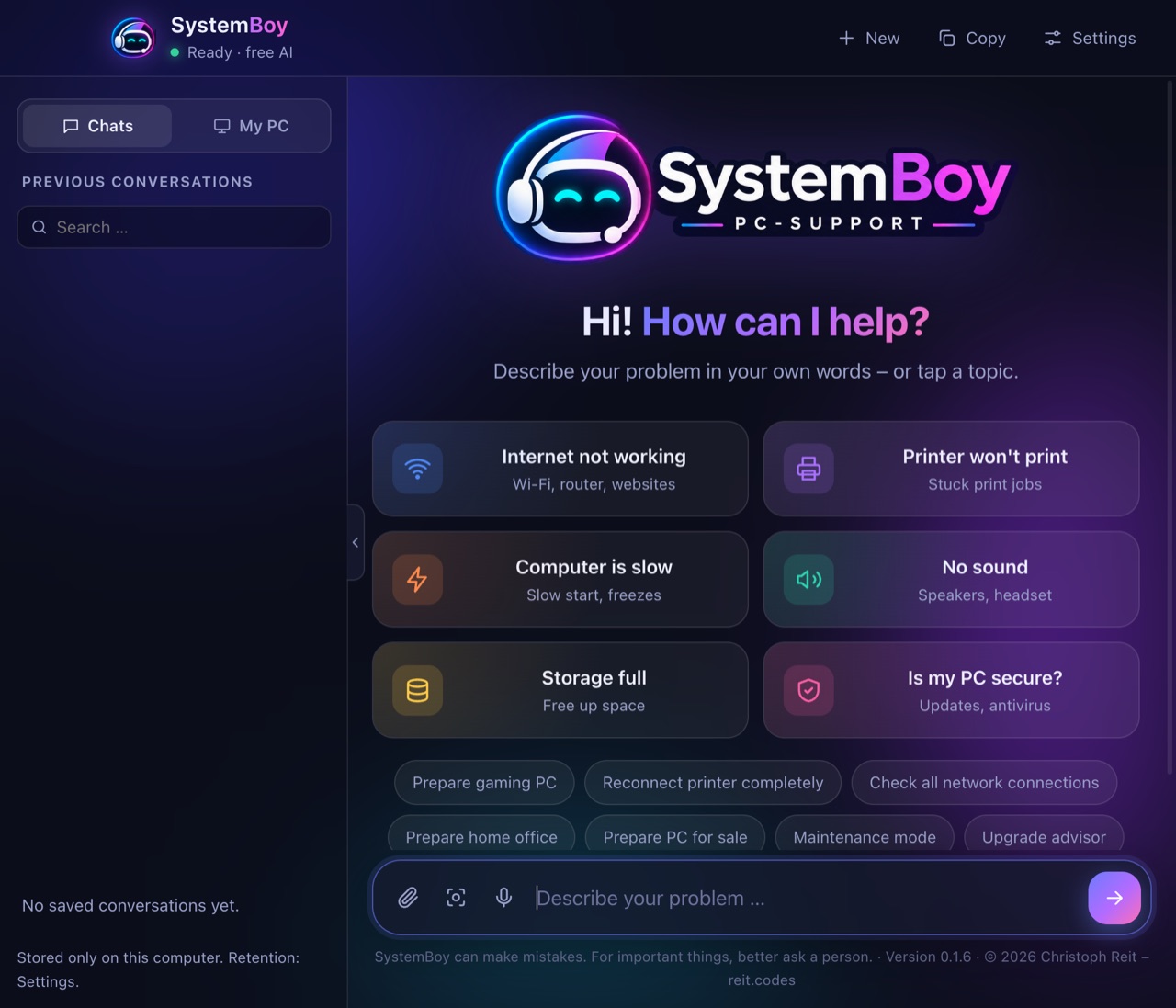
Say in your own words what isn't working – or tap a topic. Technical terms? Not needed. A screenshot of the error message helps too.
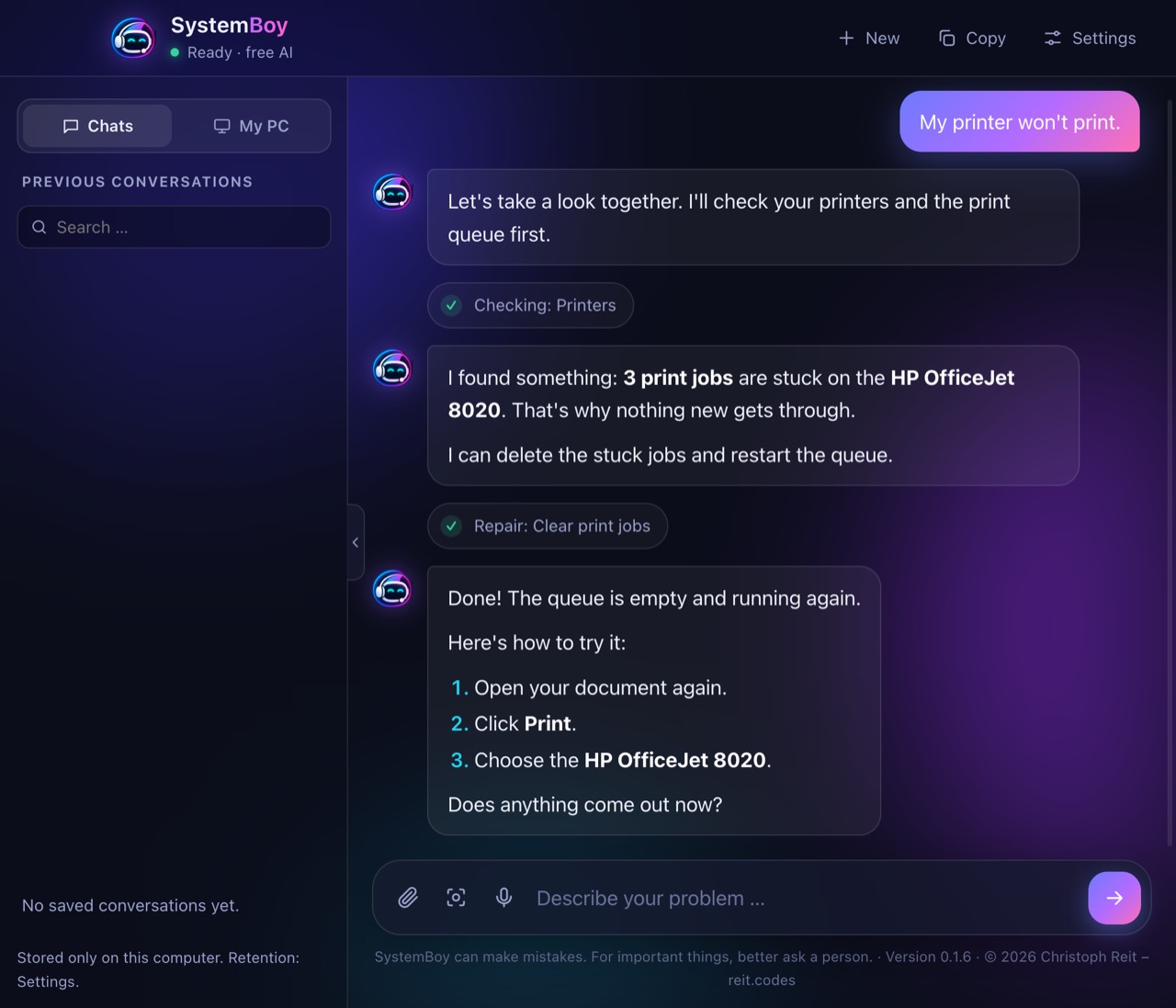
SystemBoy checks your system with fixed, read-only tools: network, drivers, logs, storage, crashes. That's how it finds the real cause.
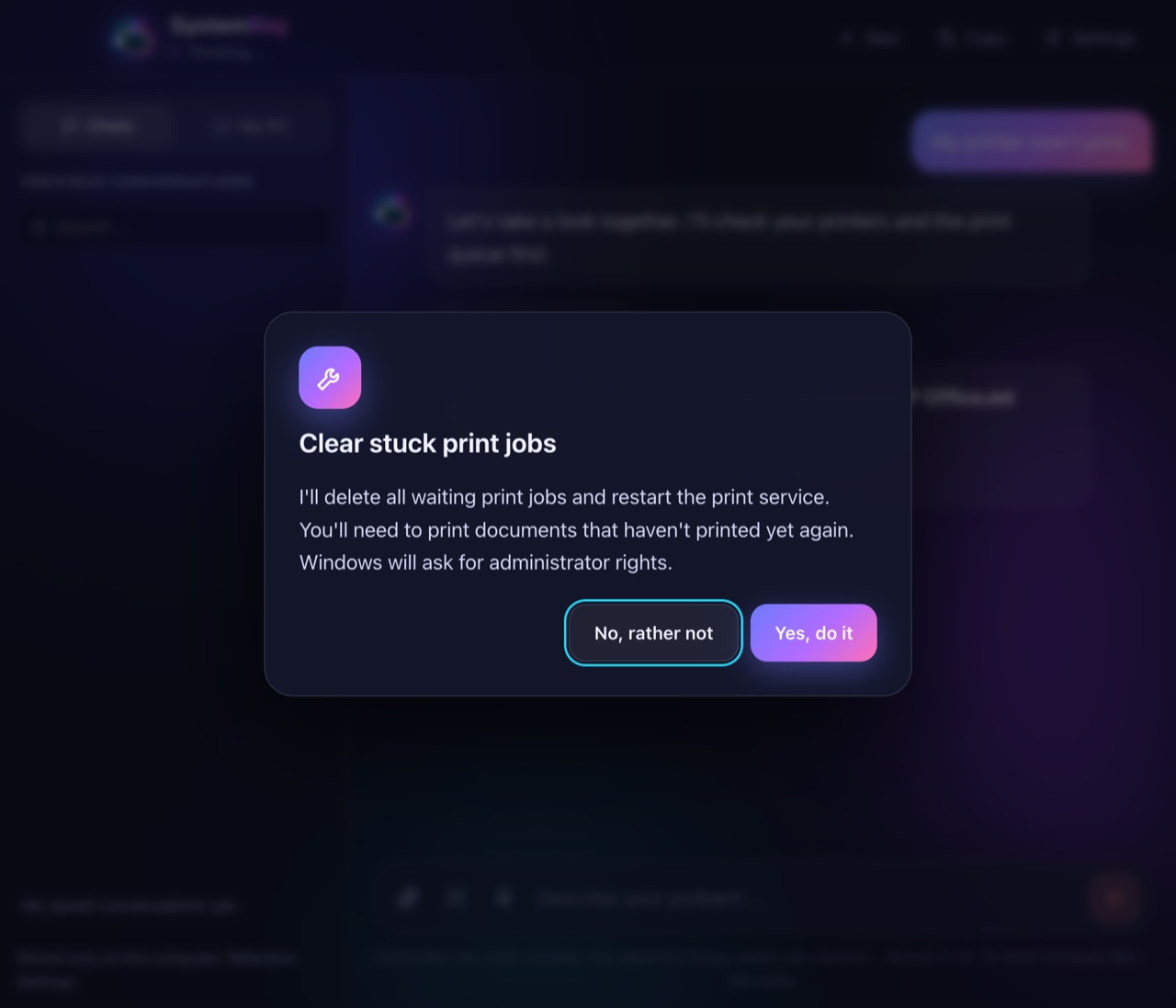
You see exactly what will run and why. Nothing happens until you agree. File changes can be undone.
Except it always has time, costs nothing and never rolls its eyes.
SystemBoy runs commands, changes settings, installs and removes programs – via OpenCode, a proven open-source AI agent. No copy-pasting commands from the internet.
Device profile with hardware, system and programs. SystemBoy remembers your PC and picks up where earlier conversations left off.
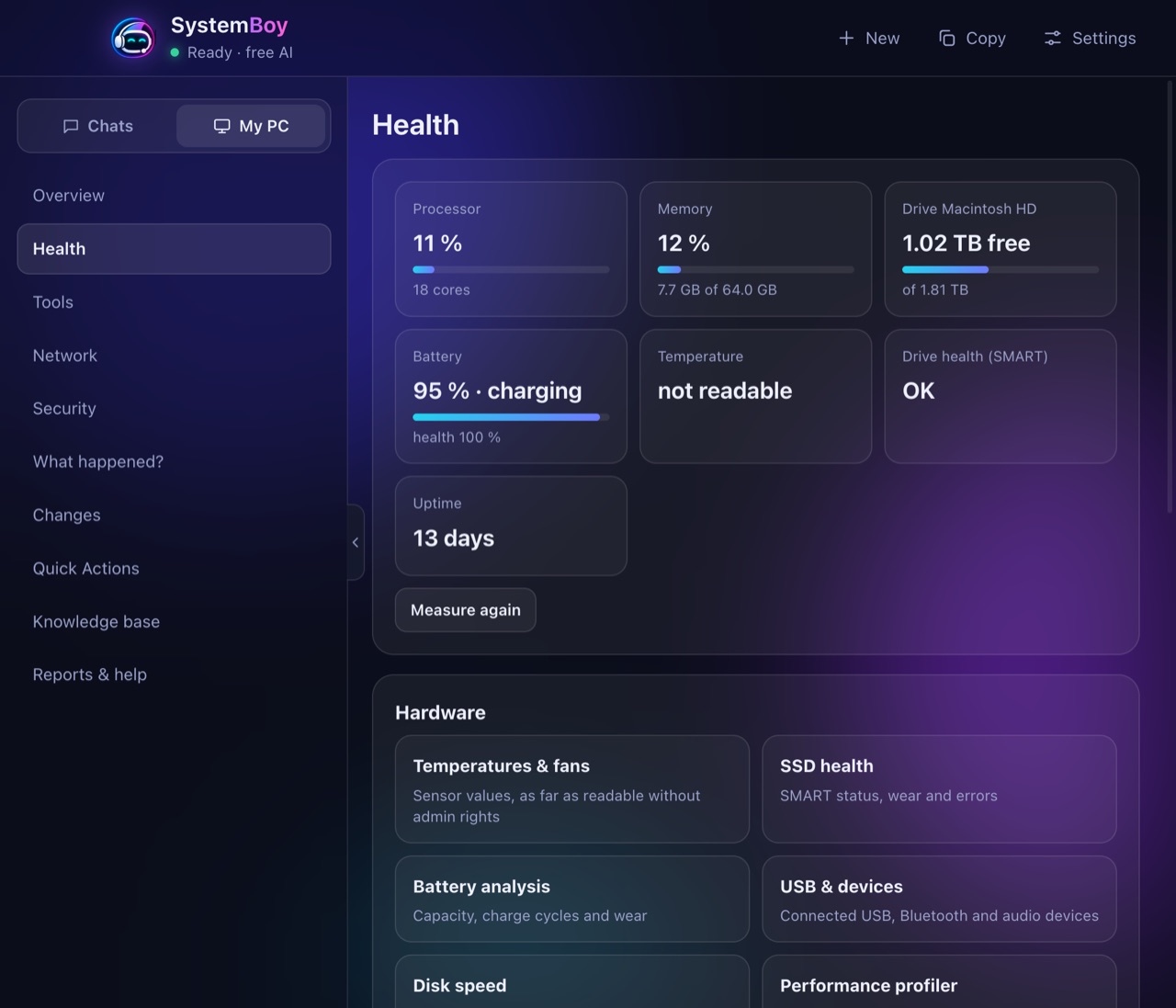
CPU, RAM, drives, SMART, battery wear, temperature and uptime at a glance.
Timeline of the last 14 days: crashes, updates, drivers, installs, network. “Since when?” – SystemBoy finds the common cause.
Antivirus, firewall, encryption, updates, backup and ransomware protection as a clear score – plus checks of signatures, browser extensions, ports, certificates and privacy settings.
One-click restore point. Before every file change SystemBoy backs up the original – undo any time.
Your own one-click workflows: “Prepare gaming PC”, “Reconnect printer”, “Prepare PC for sale” …
Speaks up before things break: disk almost full, SMART warning, new crashes, battery worn out. With scheduler and maintenance report.
All conversations in the sidebar – search, continue, rename. Retention is up to you.
Add your own manuals and guides. SystemBoy searches them for matching questions.
Technical report for your IT person – user name, e-mail, IPs and serial numbers are removed first.
After every fix, explains the cause and how to avoid it in future.
Take a screenshot with the built-in tool, mark it up, pixelate it – SystemBoy reads the error message.
Under the hood runs OpenCode, an open-source AI agent (MIT license). It is already included in SystemBoy and kept up to date automatically. SystemBoy is an independent project and not affiliated with Anomaly, the company behind OpenCode.
They run locally and read-only – only when you choose “Discuss with SystemBoy” does the result go to the AI. Each with its own script for Windows, macOS and Linux.
Checks queue, service and driver, clears stuck jobs, reconnects.
Measures step by step: Wi-Fi, router, DNS, packet loss – and shows where it stalls.
Finds resource hogs, startup clutter, memory pressure, thermal throttling and full drives.
Maps folders, finds large files and duplicates. Deletes only what you approve.
Checks audio service, default device, volume and driver – and sets it right.
Reads crash reports and error codes, narrows down driver, hardware or app.
Shows pending system and app updates and helps install them safely.
Security score, suspicious startup items, unsigned programs, open ports.
Capacity, charge cycles, wear – and whether a replacement is worth it.
Temp files, update leftovers, recycle bin, startup – with before/after comparison.
Background load, power plan, graphics driver, temperatures – no dubious tuning tricks.
Back up data, sign out of accounts, reset safely – step by step.
That's why security at SystemBoy isn't an add-on – it's the foundation.
Every command and every file change is shown and explained first. Dangerous commands are flagged.
Documents, Pictures, Downloads, Desktop, OneDrive, iCloud, Mail and Messages are locked by default – access only after approval.
Originals are backed up before every file change. One-click restore point before risky operations.
No account, no server of our own. Messages only go to the AI service you choose – with local AI everything stays on your computer.
No analytics, no advertising IDs, no hidden data collection. History and profile stay local and can be deleted any time.
AI can be wrong. SystemBoy tells you upfront – and replaces neither antivirus nor a professional for hardware damage.
Profile, history, measurements, backups, knowledge base – all local.
Information needed for your question goes encrypted to …
… the provider of your choice – or a local AI without internet.
SystemBoy isn't tied to any provider. After you sign in, it picks a suitable model automatically.
Built-in AI access without sign-in, with a daily limit. Just get going.
ChatGPT Plus/Pro, GitHub Copilot, Grok, Poe, GitLab Duo, DigitalOcean.
Claude, Gemini, OpenRouter, Groq, Mistral, NVIDIA – over 300 providers, many with a free tier.
Ollama or LM Studio on your computer – detected automatically.
Explains without jargon, step by step, with large text and dictation.
Your parents calling again? SystemBoy helps on the spot – and the support package shows you what's up.
Less downtime, home-office check, printers, VPN, maintenance report.
Ports, services, event logs, crash dumps, certificates – faster than any console.
Automatic updates included. No sign-up, no ads.
Detected for your system:
chmod +x) and run it.sudo apt install ./systemboy-linux-amd64.deb.All versions on GitHub · Current version: v0.1.6
Yes. SystemBoy is free for private use. The built-in AI access has a daily limit; with your own account or a local AI there is none.
ChatGPT can't see your computer. SystemBoy reads real system data, knows your device, finds the cause and can fix it itself – with your consent and an undo function.
Yes. ChatGPT via browser sign-in with your Plus or Pro plan, Claude, Gemini and over 300 other providers with your own API key. A Claude Pro subscription can't be used.
Every change needs your approval, files are backed up first and a restore point is one click away. Still, any system change can have side effects – check suggestions before approving.
No, not without your permission. Documents, Pictures, Downloads, Desktop, cloud folders, Mail and Messages are locked until you allow access.
Only what your question needs, and only to the AI service you chose. History, profile, measurements and knowledge base stay on your computer. With a local AI nothing leaves your machine.
With a local AI (Ollama or LM Studio), yes. The tools under “My PC” run locally anyway.
Only if you enable background mode. Then it checks storage, drives, battery, temperature and crashes every 15 minutes and lets you know about problems.
No. The security score checks whether antivirus, firewall, encryption and backup are set up correctly – it doesn't replace a virus scanner.
For many everyday problems, yes. For hardware defects or complex faults, the support package helps your technician understand what's going on faster.
SystemBoy isn't signed with a paid certificate yet. The warning is normal for new programs; continue via “More info” › “Run anyway”.
Yes – app, website and installer are available in English and German. SystemBoy also replies in other languages if you write in them.
Download SystemBoy and let it take a look. Costs nothing, does nothing without you.
⬇ Get SystemBoy for free